Programs / AI & Excel
AI for FP&A, without the hype
Claude, Copilot, and Dynamic Excel for Finance
Speed up the FP&A you already do with AI, without handing over the judgment.
Finance teams know the drill: models rolled forward by hand, reporting packages rebuilt every month and forecasts that take hours to update. This course takes core FP&A processes (modeling, forecasting, reporting and analysis) and reimagines them with AI as semi- and fully automated workflows built with Claude, Copilot and dynamic Excel. The goal isn’t to become an AI expert. It’s to become a faster, sharper analyst and advisor while keeping the human judgment that makes you great at the job.
- Up to 16 CPE
- 8 sessions
- Next live cohort: Jan 11, 2027
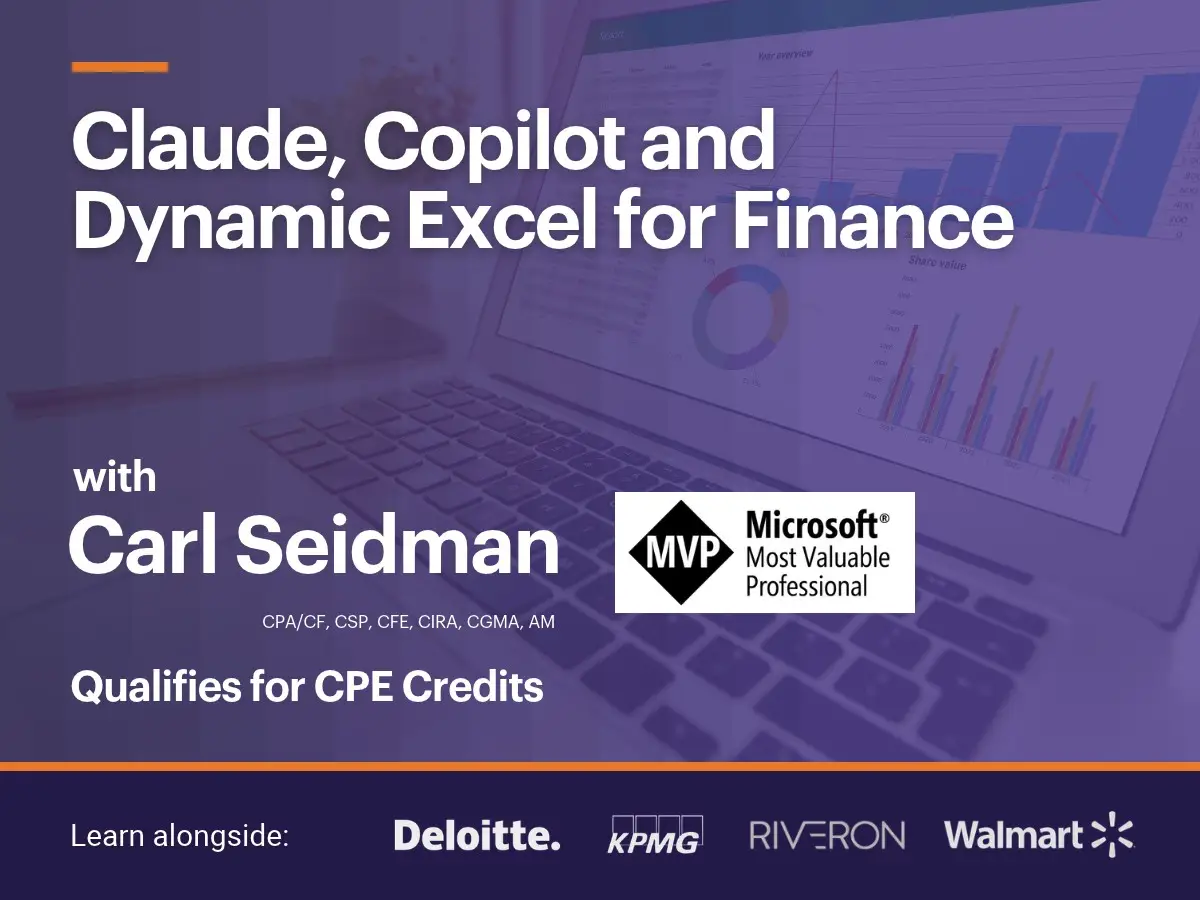
Claude, Copilot, and Dynamic Excel for Finance
Training finance teams at leading organizations








Sound familiar?
The FP&A errors nobody wants in their model.
#REF!
Rolling the model forward by hand
#VALUE!
Rebuilding reports instead of refreshing them
#DIV/0!
Forecast updates eating your analysis time
#NAME?
Lots of AI hype, no practical path
If even one of these sounds like your month,
this course was built for you.
There's a better way.
How you'll level up
This course equips you to turn manual FP&A work into automated workflows.
Build models that roll forward on their own
Draft, explain and refactor formulas with AI, and use dynamic Excel so models update instead of being rebuilt.
Create forecasts that update themselves
Build forecasts that refresh with new data, freeing your time for analysis.
Delegate safely to AI agents
Set guardrails, keep a human in the loop and review delegated work critically.
Automate your reporting
Turn the monthly reporting package into a re-runnable workflow with reusable prompts, skills and templates in Claude Cowork.
Choose the right tool for each task
Apply a simple decision rule for Claude, Copilot, or neither.
Deliver a decision-ready workflow
Present a board-ready narrative and leave with a plan to apply it the following week.

Built for
FP&A practitioners, CFOs and finance team leaders, management consultants, turnaround and restructuring advisors, and business intelligence professionals who want AI to speed up their work without giving up control of it.
Before you start: intermediate financial acumen, a working knowledge of Excel and a laptop with Microsoft 365 (or Office 2016 or later) plus Claude and Copilot licenses.
The syllabus
8 sessions · Up to 16 CPE · 12 months access
Where AI Fits in Finance and Where It Doesn't
- What Claude and Copilot are each good at: deep end-to-end workflows or working inside Excel and Microsoft 365
- Reviewing a full financial model built entirely by AI and assessing where it’s most solid or vulnerable
- Why open-ended prompting gives different answers every time and why codified instructions don’t
- How the detail and structure of instructions change the quality of what AI builds
- Setting up the toolkit: Claude desktop, Markdown editor for instruction files, Copilot in Excel, GitHub as a repository, and more
- Writing rules in Copilot so the AI follows the same modeling standards names, colors, units, functions and formulas every time
The Anatomy of an AI Skill
- Why skills beat prompts: saving, sharing, versioning and reusing skills across a team
- YAML front matter and how Claude picks the right skill for the right use-cases
- What goes inside a skill: instructions, rules, reference resources and guardrails
- Breaking big process into smaller connected skills
- Building policies dynamically into a skill so AI objectively stays inside the lines
- Developing an AI-led interview skill, partnering AI interviews with human involvement, and developing AI-enabled financial processes
- Probabilistic versus deterministic: what each method means for checks, audits, and human review
- Deconstruct a finance workflow into steps AI can follow
From Deconstructed Workflow to Working Skills
- Turning deconstructed workflows into specific, auditable, and updatable skills files
- Deterministic, guided, and autonomous workflows and how they fit into finance work
- Building interview forks so a human makes the call at the key decision points that matter
- Custom skills versus prebuilt ones and how to use a skill creator without losing control of the result
- Choosing between chat, Cowork and Code, and picking the right model/effort level for tasks
- Handling conflicts between skills with rules that stop and ask instead of guessing
- Where skills should live: local folders, projects, cloud storage, GitHub, and OneDrive
- A three-level framework for auditing an AI-built model: gross errors, formula integrity, and observations
From Skills to Plugins
- The five stages of an end-to-end AI workflow: source, capability, orchestration, delivery, and outcomes
- Skills versus plugins: Skills as recipes, plugins as cookbooks
- Testing skills on synthetic data and intentional breakage to find the weak spots
- Why multiple, manageable and focused skills hold up better than one large skill
- Accessing plugin marketplaces and the risks of running skills you didn’t build
- Setting up GitHub or databases as single sources of truth for skills: repositories, folders, configuration files, and commits
- Practical editing loops: changing skills, pushing to GitHub, and updating Claude and Excel
- Confirming source data is shaped correctly before a skill ever runs
Connecting Your Skills to Claude, Copilot and Excel
- Hub-and-spoke design: one foundation skill for modeling standards with specialized builder skills around it
- Building plugins and marketplaces step by step, with Claude drafting the README and configuration files
- Naming conventions that keep folders, skills and plugins in sync
- Turning whole plugins on and off to avoid duplicate or conflicting skills
- Connecting GitHub to Claude and running your skills directly inside Excel
- Using OneDrive as a skill library for Copilot
- Experience Copilot building a 13-week cash flow that follows the standards in your skills
- When to clean data with Power Query instead of AI and how the choice saves time and tokens
Claude Cowork for Recurring Finance Workflows
- Chat versus Cowork: one-off files versus processes that repeat period over period
- A Cowork setup: instruction files, skills, connectors, project documents and preferences
- Global versus project instructions and managing memory so old work doesn’t steer new work
- Real-life example: a monthly revenue close that reconciles the accounting system, bank and payment processor on a schedule
- Real-life example: Building a 13-week cash flow workflow from scratch by having Claude interview you for requirements, data sources and output locations
- Scheduling AI: running a workflow manually or on a schedule and what it should do when a check fails and no one is watching
- Security, privacy and approvals when financial data is involved
- Designing checks and human review into every workflow
AI Agents and Sub-Agents for Finance
- How agentic AI differs from Cowork and which repetitive, consistent and low-risk tasks are good candidates
- Getting Started in Claude Code: the desktop app, Powershell, and command line with no coding background required
- Designing a master agent that coordinates AR, AP and payroll analyst sub-agents
- Live demo: a Monday cash variance agent that compares actual bank activity to the forecast
- A reviewer agent that checks the sub-agents’ work before anything reaches the CFO
- A payment run planner that recommends, while a human keeps final approval
- Turning agent output into clean reports for leadership, and documenting every agent and skill so the team knows what runs where
- Starting with simple, low-risk agents, and protecting data by working in client-owned environments
Copilot Agents and Putting It All Together
- The Full Arc: process deconstruction, skills, plugins, Cowork workflows and agents
- Building a Copilot agent in Excel that uses skills and instruction files stored on OneDrive
- Live demo: a Copilot agent running a cash variance analysis
- Claude and Copilot side by side: cost, ecosystem, and when each one is the better choice
- Mixing deterministic, guided and autonomous steps in a single end-to-end process
- Running AI processes in parallel with the manual version before you rely on them
- Ongoing skill and process audits, plus clear ownership of who is accountable for what
Same course, your pace
Choose how you want to learn
On your schedule
Cohort Replay
$599
one-time
The full live series on video, participant discussion included.
- All 8 session recordings (~16 hrs)
- Downloadable tools
- 16 CPE credits + certificate
- 12 months of access
Most interactive
Live
Live Cohort
$1,100
one-time
Live on Zoom. Mondays, 11am–1pm CT, from Jan 11, 2027.
- 8 live sessions with Carl
- All Cohort Replay recordings on day 1
- Extended Q&A and peer community
- Downloadable tools
- 16 CPE credits + certificate · 12 months of access
Using your training budget?
Most employers cover CPE-eligible training. We’ll send an invoice, or give you a ready-to-send approval email for your manager.
Training a team?
Get group pricing and a recommendation on the right format for your team.
Compare formats
How you learn
Recorded live series
Live on Zoom
When
Start today
Mondays, 11am–1pm CT, from Jan 11, 2027
Length
8 sessions, ~16 hours
8 two-hour sessions
Downloadable tools
✓
✓
Participant discussion
Watch it recorded
Join it live
All session recordings
On day 1
On day 1, plus your live sessions
Access
12 months
12 months
CPE credits
16.0
16.0
Certificate of completion
✓
✓
Extended Q&A with Carl
—
✓
Peer community
—
✓
In their words
350,000+ finance professionals have sharpened their technical and strategic skills with Carl
Here’s what they have to say.
I would highly recommend this course and any course put on by Carl. He is an excellent teacher and is very personable. The skills you will learn are marketable and important for future-proofing your career and function in a highly dynamic and changing technological environment. Thank you, Carl!
C
Christian
Senior Financial Analyst, The Alexander Group, Inc.
Carl is an excellent teacher and really cares about his students… he stayed after hours with me to talk me through how to apply it to my specific model and was incredibly helpful… I’m almost done a week following the course with my new forecasting model.
S
Sarah
FP&A Sr. Manager
The program covered a lot of new material and was an educational experience. It made me realize how much there was to learn about AI in finance. The course is highly relevant, well-structured, and offers a comprehensive overview of how to apply AI tools in a finance context. I particularly enjoyed our lively discussions during the lectures about the role of humans in AI, where this technology is taking us, and how it’s transforming the way we think and work in finance.
I
Ivana
MBA, CMA
Carl is an excellent coach. He focuses on the practical aspect of the day-to-day challenges vs. only focusing on theory.
P
Preet
Finance Director, Visa
Very well structured course. I came away with practical skills to build AI tools I can deploy at work. The content was hands-on and focused on real use cases, not theory. Highly recommend for anyone looking to apply AI in their day-to-day role.
M
Maggie
FP&A Manager
A hands-on training where you will get a high level of attention.
K
Katie
Finance Analyst
Amazing course! It was very interactive with lots of demonstrations and opportunities to practice in the breakout groups as well with Carl checking in and helping out.
S
Shalini
Project Accountant, Not For Profit

Meet your instructor
Carl Seidman, CPA
One of about 35 Microsoft MVPs for Excel in the U.S., Adjunct Professor of Data Analytics at Rice University, and formerly a Director at Conway MacKenzie (now Riveron) and Senior Advisor at PwC.
Proof of your progress
Earn your CPE certificate
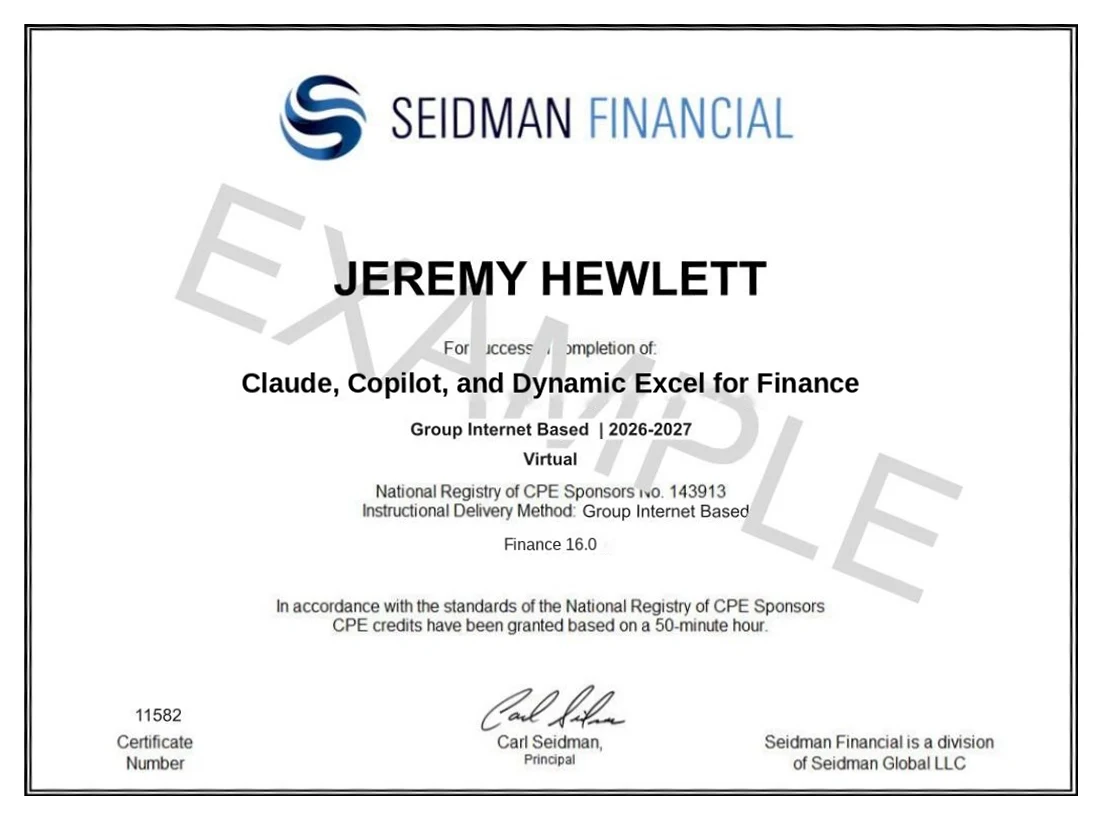
Every format includes a certificate of completion from Seidman Financial, a NASBA-registered sponsor of continuing professional education (National Registry No. 143913).
- Lists the course, delivery method and CPE credits earned
- Ready to submit to your state board of accountancy
- A credential to share with your manager or on LinkedIn
Ready to level up?
Live or on your schedule · Up to 16 CPE · Certificate included
Which format is right for me?
Choose Live Cohort to learn in real time with Carl and peers, with extended Q&A and a peer community. Choose Cohort Replay for the full recorded series, including participant discussion, on your schedule.
What happens if I can't make a live session?
Live attendance is encouraged, since the live reveals and discussion are a big part of the experience. Every session is recorded so you can catch up.
Can I watch the recordings before the live sessions start?
Yes. Both formats include all the session recordings on day 1, so you can watch ahead, catch up on a session you missed or review any topic at your own pace.
I work full-time. What's the time commitment?
Eight two-hour sessions spaced over several weeks, about 16 hours in total including discussion and Q&A. Pre- and post-session work is occasional and minimal.
How do the live classes work?
Classes meet on Zoom. Each session opens with an intro, works through a real example, then moves to exercises, discussion and reflection. Sessions build on each other.
What should I know before I start?
Intermediate financial acumen and a general understanding of Excel and business concepts.
Do I need Claude or Copilot licenses?
Yes. You will need a laptop with Microsoft 365 (or Office 2016 or later) and access to Claude and Copilot licenses so you can follow along and build each workflow yourself.
Does the course qualify for CPE?
Yes. Live Cohort and Cohort Replay each qualify for up to 16.0 CPE credits. Seidman Financial is a NASBA-registered sponsor; state boards have final authority on accepting individual courses.
Do I get a certificate?
Yes. Every format includes a CPE certificate of completion from Seidman Financial, a NASBA-registered sponsor. It lists the course, delivery method and CPE credits earned.
Do you offer guarantees or refunds?
There’s no guarantee of outcomes like a promotion, but Carl’s promise is to share the techniques, tools and processes that will accelerate your finance career. Refund requests are uncommon; if you’re not satisfied, contact us and we’ll make sure you get the value you expected.
Can I enroll my whole team?
Yes. Book a free call and we’ll recommend the right format and group pricing for your team.
Start automating your FP&A today
Pick the format that fits your calendar, or book a free call with Carl for a recommendation.


Seidman Financial is registered with the National Association of State Boards of Accountancy (NASBA) as a sponsor of continuing professional education on the National Registry of CPE Sponsors. State boards of accountancy have final authority on the acceptance of individual courses for CPE credit. Complaints regarding registered sponsors may be submitted to the National Registry of CPE Sponsors through its website: www.NASBARegistry.org.