Programs / Data & Automation
Clean data in, better analysis out
Data Management for Finance with Power Query
Importing data into Excel and Power BI is easy when you know how to transform it.
Most finance teams still copy, paste and reformat the same exports every month before any real analysis can start. This intensive program covers data management, automation and data modeling for financial analysis: connecting to your data sources, cleaning and reshaping data in Power Query, and building data models with DAX and Power Pivot. Whether you’re a beginner or already use Power Query, you’ll leave able to build refreshable data flows for the close, reporting and forecasting.
- Up to 12 CPE
- 6 sessions
- Next live cohort: June 2027
 Watch the intro video
Data Management for Finance with Power Query
Training finance teams at leading organizations







Sound familiar?
The data headaches that eat up your month.

Copying and pasting the same exports every month
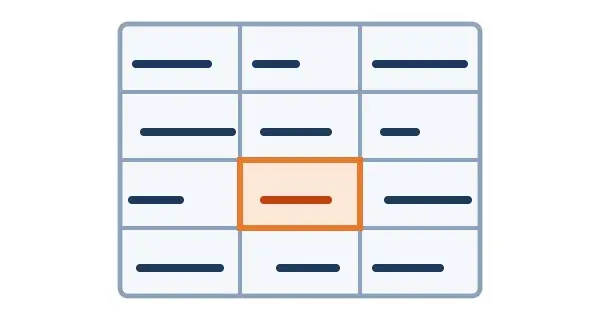
Reformatting messy data before you can analyze it

Reports that break when the source data changes

Data scattered across systems and files
Spend less time prepping data and more time analyzing it.
Power Query makes it possible.
There's a better way.
How you'll level up
This course equips you to turn manual data prep into refreshable, automated data flows.
Connect to every data source
Import from databases, Excel files and the web, then refresh and manage those connections instead of re-pulling data.
Automate real finance processes
Build flows for month-end close, adjusting entries, AR aging, POs and AP, monthly sales and actuals for rolling forecasts.
Feed forecasts, budgets and dashboards
Streamline forecasting and budgeting, KPI dashboards, and trend and variance analysis.
Clean and reshape data in minutes
Handle missing values, duplicates and data types in the Power Query Editor with functions and expressions.
Model data with DAX and Power Pivot
Set up tabular relationships and hierarchies, write M and DAX, and build parameterized queries you can reuse across workbooks.
Work faster and troubleshoot with confidence
Apply best practices for performance, troubleshooting and efficiency in Excel and Power BI.

Built for
Financial analysts and FP&A professionals automating data prep for forecasting and planning, accounting professionals turning routine reporting into automated reporting, and small business owners who want simple, reliable data-cleaning processes.
Before you start: basic-to-intermediate Excel (2016 or later) and basic accounting and finance.
The syllabus
7 modules · 6 sessions · Up to 12 CPE
What Is Power Query and Why It Matters to FinanceWhere Power Query fits in your finance stack
- What is Microsoft Power Query and why does it matter to finance
- Dynamic data modeling process flow
- How Power Query and financial systems interact
- When to use Power Query vs. Excel
Data Acquisition & ManagementGetting data in, converted and connected
- Data acquisition sources for Power Query
- Data conversion through Power Query
- Editing Power Query parameters
- Power Query Editor: intro to the ribbons
- Power Query Editor: Home ribbon
- Power Query Editor: Transform ribbon
- Power Query Editor: Add Column ribbon
- Data connections via Power Query
Dynamic Tables and IntegrationTables that grow with your data
- Introduction to dynamic tables
- Integration of dynamic tables with Power Query
- Financial and business modeling with Power Query and data tables
Data Modeling with Power QueryRelationships, hierarchies and data flows
- Intro to data modeling with Power Query
- Establishing tabular relationships
- Establishing data hierarchies
- Data relationship directions
- Cascading data flows
- Viewing and hiding tabular relationships
- Data modeling rules
DAX and Integration with Power QueryCalculations on top of your data model
- Introduction to Data Analysis Expressions (DAX)
- DAX syntax and rules
- DAX calculated columns
- DAX measures
Power Pivot and Integration with Power QueryReporting from the data model
- Introduction to Power Pivot
- How Power Pivot compares with traditional PivotTables
- Activating and accessing Power Pivot
- Creating a Power Pivot report
Tying It All TogetherExcel, Power BI and your capstone
- Overlap between Power Excel and Power BI
- How Power Query integrates with Power BI
- Capstone business case: build a dynamic data flow process
Find your fit
Choose how you want to learn
Fast track
Essentials
$349
one-time
The core Power Query techniques in short, self-paced studio lessons. Start today.
- 3.5 hours of studio video
- Self-paced, start anytime
- Downloadable tools
- 4 CPE credits + certificate
On your schedule
Cohort Replay
$549
one-time
The full live series on video, participant discussion included.
- All 6 session recordings (~12 hrs)
- Downloadable tools
- 12 CPE credits + certificate
- 12 months of access
Most interactive
Live
Live Cohort
$1,100
one-time
Live on Zoom. Next cohort starts June 2027.
- 6 live sessions with Carl
- Full recordings from day 1: watch ahead of the live sessions
- Extended Q&A and peer community
- Downloadable tools
- 12 CPE credits + certificate · 12 months of access
Not sure which to pick?
Just the core skills, fast?
→ Essentials
The full course on your schedule?
→ Cohort Replay
Live Q&A with Carl and a peer group?
→ Live Cohort
Using your training budget?
Most employers cover CPE-eligible training. We’ll send an invoice, or give you a ready-to-send approval email for your manager.
Training a team?
Get group pricing and a recommendation on the right format for your team.
Compare formats
What's included
How you learn
Self-paced studio lessons
Recorded live series
Live on Zoom with Carl
When
Start today
Start today
Recordings today; live weekly, June–July 2027
Length
3.5 hours
6 sessions, ~12 hours
6 two-hour sessions
Downloadable tools
✓
✓
✓
Access
12 months
12 months
12 months
CPE credits
4.0
12.0
12.0
Certificate of completion
✓
✓
✓
Session recordings
—
✓ From day 1
✓ From day 1, before and after each live session
Participant discussion
—
Watch it recorded
Join it live
Extended Q&A with Carl
—
—
✓
Peer community
—
—
✓
In their words
350,000+ finance professionals have sharpened their technical and strategic skills with Carl
Here’s what they have to say.
This course marked a turning point in my professional career. Indeed, while there are no shortcuts to success, choosing the right path is crucial—it doesn’t necessarily have to be a lengthy one. The key is to keep practicing. I strongly recommend it.
A
Ana
Finance Director
I gained more knowledge from this course than in two years of independent study. For anyone who has been struggling to master Power Query and Power Pivot, I strongly recommend enrolling in this program.
C
Carol
Financial Reporting & Analysis Manager, Perryman Company
My goal was to learn new skills that would help me automate data and improve the efficiency of modeling and I definitely did that. This class was a great mix of lecture and hands-on learning.
S
Sam
VP/Head of Finance and Accounting, C16 Biosciences, Inc.
Carl does a fantastic job presenting the course content in a way that is understandable but challenges participants to think outside their normal processes. There is a good mix of discussion and hands on learning. I would highly recommend those looking to learn more about managing data with Power Query to take this course.
T
Talia
CAS Supervisor, Miller Cooper
Very informative and very practical course – opens a world of possibilities. Loved the hands on experience!
D
Darena
Senior Financial Analyst, Fresenius Kabi
This was one of the best training programs I’ve experienced. Went indepth into many of the concepts in an actionable way. I came away from the course with the knowledge and confidence that I could tackle any challenge in Power Query that would come my way. I highly recommend this course to anyone interested in learning Power Query.
M
Mark
Financial Analyst, Government of New Brunswick
Practice exercises were incredibly useful to understand the possibilities.
F
Finney
Director of Finance, Capstone Dentistry

Meet your instructor
Carl Seidman, CPA
One of about 35 Microsoft MVPs for Excel in the U.S., Adjunct Professor of Data Analytics at Rice University, and formerly a Director at Conway MacKenzie (now Riveron) and Senior Advisor at PwC.
Proof of your progress
Earn your CPE certificate
Every format includes a certificate of completion and a separate CPE credit certificate from Seidman Financial, a NASBA-registered sponsor of continuing professional education (National Registry No. 143913).
- Lists the course, delivery method and CPE credits earned
- Ready to submit to your state board of accountancy
- A credential to share with your manager or on LinkedIn

Ready to level up?
Live, replay or self-paced · Up to 12 CPE · Certificate included
Which format is right for me?
Choose Live Cohort to learn in real time with Carl and peers, with extended Q&A. Choose Cohort Replay for the full recorded series on your schedule. Choose Essentials for the core Power Query techniques in 3.5 focused hours.
How is this different from your other programs?
It’s built specifically for extracting, formatting and importing data into Excel and Power BI, for finance professionals who want to build those skills in depth.
What happens if I can't make a live session?
Live attendance is strongly encouraged, since the live reveals and participant interaction are central to the experience, and modules build on each other. Every session is recorded, though learning from a recording alone may be more limited.
I work full-time. What's the time commitment?
It depends on the format. Essentials: about 3.5 hours of self-paced video, watched whenever it suits you. Cohort Replay: about 12 hours of recorded sessions (six 2-hour sessions), at your own pace. Live Cohort: six 2-hour live sessions, one a week, about 12 hours in total including content, discussion, cases and Q&A, with recordings available from day 1. Pre- and post-session work is minimal, and you have 12 months of access in every format.
How do the live classes work?
Classes meet live on Zoom once a week for 2 hours. Each session opens with an intro, ties in a real example, then moves to exercises, discussion and reflection.
What should I know before I start?
Basic-to-intermediate Excel skills, Excel 2016 or later (ideally on a PC, though not required) and at least a basic understanding of accounting and finance.
Does the course qualify for CPE?
Yes. Live Cohort qualifies for 12.0 CPE credits, earned by attending the live sessions or watching the recordings. Cohort Replay also qualifies for 12.0 CPE credits, and Essentials for 4.0. Seidman Financial is a NASBA-registered sponsor; state boards have final authority on accepting individual courses.
Can I watch the recordings before the live cohort starts?
Yes. A Live Cohort seat includes the full set of session recordings from the day you enroll, so you can start learning right away and come to the live sessions ready for discussion and Q&A.
Do I get a certificate?
Yes. You receive a certificate of completion plus a second certificate for your CPE credits, both ready to share on LinkedIn or with your employer.
Do you offer guarantees or refunds?
There’s no guarantee of outcomes like a promotion, but Carl’s promise is to share the techniques, tools and processes that will accelerate your finance career. Refund requests are uncommon; if you’re not satisfied, contact us and we’ll make sure you get the value you expected.
Can I enroll my whole team?
Yes. Book a free call and we’ll recommend the right format and group pricing for your team.
Stop reformatting. Start refreshing.
Pick the format that fits your calendar, or book a free call with Carl for a recommendation.


Seidman Financial is registered with the National Association of State Boards of Accountancy (NASBA) as a sponsor of continuing professional education on the National Registry of CPE Sponsors. State boards of accountancy have final authority on the acceptance of individual courses for CPE credit. Complaints regarding registered sponsors may be submitted to the National Registry of CPE Sponsors through its website: www.NASBARegistry.org.